第二节 创建新的移动客户端
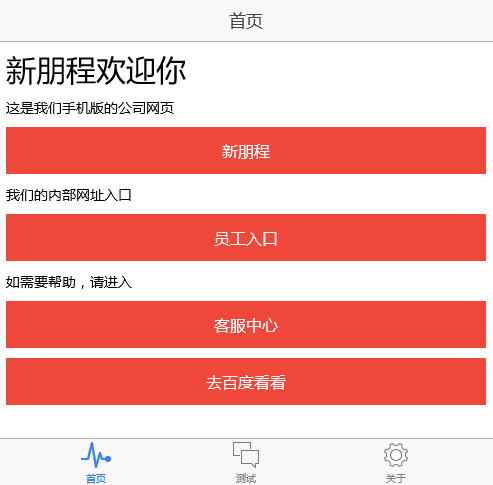
1、范例程序说明
程序采用ionic框架开发,可直接发布到iOS和android平台使用,开发过程中也可以通过浏览器直接进行测试。由于该框架是基于web服务的,所以并没有直接调用ClientAPI,而是调用了之前WebDemo中做好的Http RESTful请求。范例下载地址: http://222.44.18.140/svn/pthink/product/PthinkCloudApp/02.example/02.client/ExampleMobile
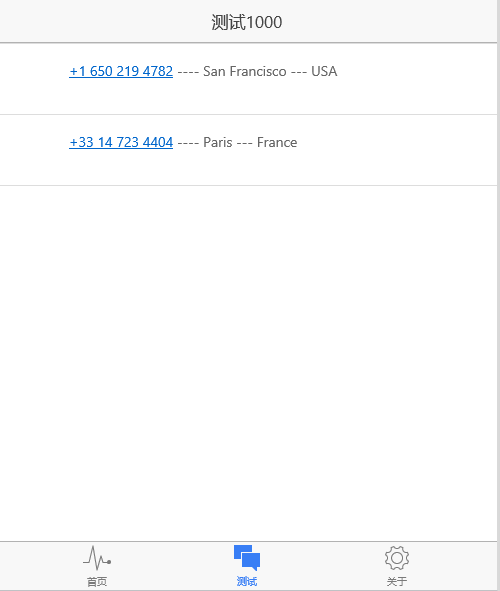
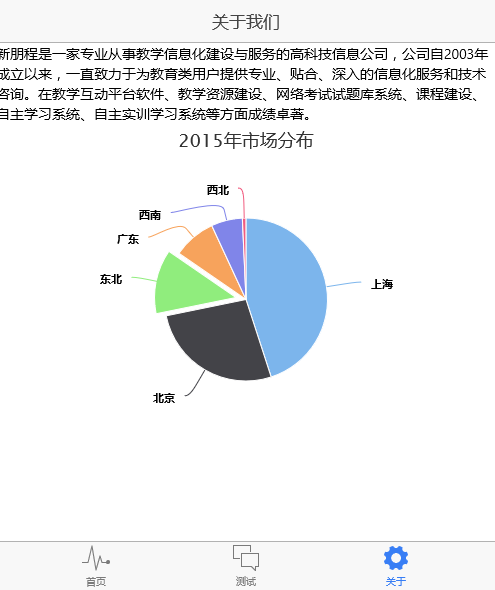
界面截图如下:
2、 完整的系统开发步骤
安装相关文章网上很多,可以参看http://www.runoob.com/ionic/ionic-install.html
A、 准备开发环境
到官网下载安装NodeJS (4.x版本即可)
利用npm安装cordova 和 ionic
npm install -g cordova ionic
B、 创建初始工程
ionic start appname tabs
C、 修改相关js
app.js
// Ionic Starter App

// angular.module is a global place for creating, registering and retrieving Angular modules// 'starter' is the name of this angular module example (also set in a <body> attribute in index.html)// the 2nd parameter is an array of 'requires'// 'starter.services' is found in services.js// 'starter.controllers' is found in controllers.jsangular.module('starter', ['ionic', 'starter.controllers', 'starter.services', 'ngCordova','highcharts-ng']) .run(function ($ionicPlatform) { $ionicPlatform.ready(function () { // Hide the accessory bar by default (remove this to show the accessory bar above the keyboard // for form inputs) if (window.cordova && window.cordova.plugins && window.cordova.plugins.Keyboard) { cordova.plugins.Keyboard.hideKeyboardAccessoryBar(true); cordova.plugins.Keyboard.disableScroll(true);

 } if (window.StatusBar) { // org.apache.cordova.statusbar required StatusBar.styleDefault(); } }); })

 .config(function ($stateProvider, $urlRouterProvider, $ionicConfigProvider) {

 //make same style for iOS and Android $ionicConfigProvider.platform.ios.tabs.style('standard'); $ionicConfigProvider.platform.ios.tabs.position('bottom'); $ionicConfigProvider.platform.android.tabs.style('standard'); $ionicConfigProvider.platform.android.tabs.position('standard');

 $ionicConfigProvider.platform.ios.navBar.alignTitle('center'); $ionicConfigProvider.platform.android.navBar.alignTitle('left');

 $ionicConfigProvider.platform.ios.backButton.previousTitleText('').icon('ion-ios-arrow-thin-left'); $ionicConfigProvider.platform.android.backButton.previousTitleText('').icon('ion-android-arrow-back');

 $ionicConfigProvider.platform.ios.views.transition('ios'); $ionicConfigProvider.platform.android.views.transition('android');

 // Ionic uses AngularUI Router which uses the concept of states // Learn more here: https://github.com/angular-ui/ui-router // Set up the various states which the app can be in. // Each state's controller can be found in controllers.js $stateProvider

 // setup an abstract state for the tabs directive .state('tab', { url: '/tab', abstract: true, templateUrl: 'templates/tabs.html' })

 // Each tab has its own nav history stack:

 .state('tab.main', { url: '/main', views: { 'tab-main': { templateUrl: 'templates/tab-main.html', controller: 'MainCtrl' } } })

 .state('tab.f1000', { url: '/f1000', views: { 'tab-f1000': { templateUrl: 'templates/tab-f1000.html', controller: 'f1000Ctrl' } } }) .state('tab.chat-detail', { url: '/f1000/:chatId', views: { 'tab-f1000': { templateUrl: 'templates/chat-detail.html', controller: 'ChatDetailCtrl' } } })

 .state('tab.aboutus', { url: '/aboutus', views: { 'tab-aboutus': { templateUrl: 'templates/tab-aboutus.html', controller: 'AboutUsCtrl' } } });

 // if none of the above states are matched, use this as the fallback $urlRouterProvider.otherwise('/tab/main');

 });
controllers.js
angular.module('starter.controllers', ['starter.services'])

 .controller('MainCtrl', function ($scope) { $scope.openInExternalBrowser = function() { // Open in external browser window.open('http://www.pthink.com.cn','_system','location=yes');  };  $scope.openInAppBrowser = function() { // Open in app browser window.open('http://hao.pthink.com.cn/','_blank');  };  $scope.openCordovaWebView = function() { // Open cordova webview if the url is in the whitelist otherwise opens in app browser window.open('http://www.pthink.com.cn:8089/openweb','_self');  };  $scope.openBaidu = function() { window.open('http://www.baidu.com','_system','location=yes');  }; })

 .controller('f1000Ctrl', function ($scope,$timeout, Servers) { $scope.listData =[];

 function getServerF1000() { var f1000data = Servers.getF1000().$promise.then(function (response) { console.log("2:" + response.BODY.c); $scope.listData = response.BODY.result; }, function (e) { console.log("error"); } ); console.log("bbb:" + f1000data.toString()); } $scope.doRefresh = function() { console.log('Refreshing!'); getServerF1000(); $timeout( function() { //simulate async response //$scope.items.push('New Item ' + Math.floor(Math.random() * 1000) + 4); $scope.$broadcast('scroll.refreshComplete'); }, 1000); };  getServerF1000();

  })

 .controller('ChatDetailCtrl', function ($scope, $stateParams, Servers) { console.log("ccc"); })

 .controller('AboutUsCtrl', function ($scope) { $scope.chartPieConfig = { chart: { plotBackgroundColor: null, plotBorderWidth: null, plotShadow: false }, title: { text: '2015年市场分布' }, tooltip: { pointFormat: '{series.name}: <b>{point.percentage:.1f}%</b>' }, plotOptions: { pie: { allowPointSelect: true, cursor: 'pointer', dataLabels: { enabled: true, color: '#000000', connectorColor: '#000000', format: '<b>{point.name}</b>: {point.percentage:.1f} %' } } }, series: [{ type: 'pie', name: 'customers', data: [ ['上海', 45.0], ['北京', 26.8], { name: '东北', y: 12.8, sliced: true, selected: true }, ['广东', 8.5], ['西南', 6.2], ['西北', 0.7] ] }] };

 });
service.js
angular.module('starter.services', ['ngResource']) .factory('Servers', function ($resource) { // Some fake testing data var chats = [{ id: 0, name: 'Ben Sparrow', lastText: 'You on your way?', face: 'img/ben.png' }, { id: 1, name: 'Max Lynx', lastText: 'Hey, it\'s me', face: 'img/max.png' }, { id: 2, name: 'Adam Bradleyson', lastText: 'I should buy a boat', face: 'img/adam.jpg' }, { id: 3, name: 'Perry Governor', lastText: 'Look at my mukluks!', face: 'img/perry.png' }, { id: 4, name: 'Mike Harrington', lastText: 'This is wicked good ice cream.', face: 'img/mike.png' }];

 return { allChart: function() { return chats; }, removeChart: function(chat) { chats.splice(chats.indexOf(chat), 1); }, getChart: function(chatId) { for (var i = 0; i < chats.length; i++) { if (chats[i].id === parseInt(chatId)) { return chats[i]; } } return null; },  getHello: function () { return "hello,"; }, getF1000: function () { var resource = $resource(config.ajaxPath + "f1000j", {}, { query: {method: 'get', isArray: false, timeout: 2000} }); return resource.query(); } };

 });
D、 编译发布
本地浏览器测试:ionic serve
android 和iOS均要有相应的模拟器
E、测试
如果需要在Linux后台利用ionic来进行测试,并且希望退出控制台后可以继续执行,需要利用screen来执行下面的操作
$ screen -list

There is a screen on:

 27963.screen_test (Detached)

1 Socket in /tmp/uscreens/S-jiangfeng.

$ cd /path/xx/ionicproject
$ionic serve
然后关闭远程终端即可。